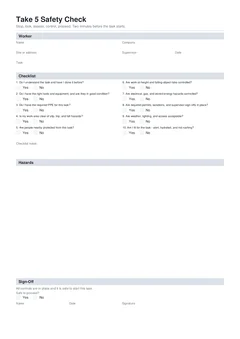
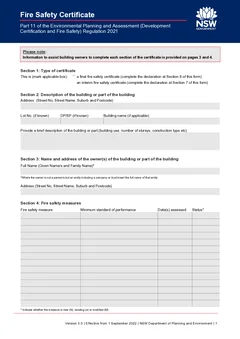
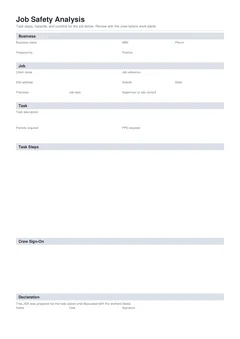
Plenty of tradies have tried a general chatbot for job notes. It writes a tidy paragraph, and you still end up retyping the useful bits into the PDF. The assistant here is different because it runs inside the form: it can see supported fields, state-specific sections, saved licence blocks and connected job software in the same workflow.
This covers where it helps on site, where it should stay out of the way, and what you check before the document leaves your hands.
What is AI good for on trade forms?
Use it when the job details already exist in your head, your phone or your job software, and you do not want to tap through them again:
- Dictate a voice note after a board walk-through
- Paste text from a job SMS or email
- Attach a photo of a job card, label, permit sticker or handwritten note
- Ask what a field means, or pull help from the form guide for that template
- Run a form review pass to catch gaps before you preview
- Apply saved business details for repeat licence and company lines
- Search a connected ServiceM8, Fergus or Xero job and import customer, site and job fields
- Load a saved form preset after you confirm it
It writes into supported fillable fields on layout-driven templates. Signatures, photo upload fields, drawing fields and final checks stay manual.
What is AI not for?
The assistant does not lodge certificates with regulators, councils or portals. It does not certify that work complies with standards, licensing or regulator requirements. It does not replace your licence obligations or supervisor sign-off, does not email or submit the finished PDF, and cannot guarantee every photo or handwritten note is read correctly.
Tradie Forms helps you prepare the official PDF layout. You decide when it is accurate and ready to hand over. Official pathways still sit outside the form. For example, NSW electricians still use the published electrical compliance requirements and portals such as BCNSW eCert when those pathways apply. AI does not complete that submission for you.
Start with a clean source, not a clever prompt
The best input is what you would tell an apprentice helping with the paperwork: the site, the work completed, the equipment involved, the relevant numbers and the job reference.
A short voice note works well when it is specific.
Saved business, licence and customer details cut typing on repeat clients, and they do not stay correct forever. A rental property may have a new owner, a project may use a different site address, a licence record changes. Review suggested details against the current job before confirming.
A safe on-site routine
Use the assistant after the technical work has been checked, not as a substitute for checking it. Do your normal testing, measurements and visual inspection first, then gather what belongs on the form while the board, plant or work area is still in front of you. Testing and risk management obligations still sit with the people on site - see SafeWork NSW electrical inspection and testing and Safe Work Australia manage risks for the broader safety context, not as AI feature claims.
- Open the correct template and confirm the customer and work site
- Add a clear note, voice message or photo for details you would otherwise type
- Review every proposed field in the form itself, not only in the chat
- Enter manual fields - signatures, drawings, photos, declarations - yourself
- Run a review pass to find blank required fields or a mismatch worth checking
- Preview the layout and compare it against the job before downloading
That keeps the assistant in its useful lane: moving known details into the right places. You remain the person deciding what happened on site and whether the record is accurate.
Which jobs suit AI assistance?
The ones where job detail already exists but is scattered. A maintenance plumber has an SMS describing the call-out, a photo of an appliance label and the property manager's contact. An electrician has a dictated list of circuits and a saved business block. A custom company checklist starts from a standard scope and needs a job-specific description.
In each case the time saved is not a generated answer - it is avoiding a second round of typing from your own notes into individual fields. Treat the suggested entries the way you would treat an admin person's draft.
Where should you slow down?
Anywhere judgement is doing the work rather than transcription. Do not rely on the assistant to interpret a technical condition, choose a regulatory category, determine a test result, decide who can sign, or turn a vague customer message into a compliance statement.
Where a detail is uncertain, leave it blank until you have the source record or have spoken to the responsible person. A blank field is an honest gap; a plausible guess on a certificate is a problem that surfaces later.
The same applies to a form that arrives looking near-complete. A green review is not an approval. The assistant can flag missing fields and point you back to the guide - it cannot inspect the installation, check a portal, or certify that work satisfies a standard.
Privacy is part of the job
Job paperwork holds names, addresses, access details, licence numbers and photos of private property. Use the same care with assistant inputs as with any other job system: share only what the form needs, follow your business privacy process, and watch for messages carrying unrelated customer details.
You can turn the assistant off under Settings → Features to hide the header launcher and form toolbar button for your account, and team members choose their own setting on shared workspaces. Chat runs through Tradie Forms infrastructure - see the privacy policy for how personal information is handled.
The Office of the Australian Information Commissioner publishes guidance for organisations using AI and handling personal information. It is not a substitute for your own privacy advice, but it is a fair reminder that useful automation still needs sensible data handling.
Keep the job record useful
Attach the original notes, relevant photos and final document to the job the way your business normally stores records. Name files with the job reference, address or date so whoever answers a later call can find the source.
Where the assistant turned a voice note into a work description, keep the note when it matters to the story of the job. Good records make corrections easier too - if a customer queries an address line or an equipment detail, you can go back to the source instead of reconstructing it from memory. Download a corrected document only after reviewing the whole thing again.
Before you hand over a form
The last check belongs to the licensed tradie or responsible person. Read the work description, addresses, dates, licence details, test results and declarations on the layout. Make sure the document says what you are prepared to stand behind, then hand it over through the process that applies to that form.
Working through it one section at a time, with a layout preview, makes that check less painful. They do not lodge documents, replace a regulator portal, or take responsibility for the work.
Next steps
Pick a live template from the catalogue, or read the AI assistant feature page and the user docs first.
If you are weighing this against your current method, Tradie Forms vs PDF editors covers the wider comparison. For an example of a form workflow that still needs a human close-out, see CCEW workflow for electrical businesses or digital vs paper CCEW.
Official references
For privacy considerations when using AI with customer and job information, see the OAIC guidance on privacy and artificial intelligence. For examples of official compliance and submission pathways that stay outside the assistant, see NSW electrical compliance requirements, the BCNSW eCert portal, SafeWork NSW electrical inspection and testing, and Safe Work Australia manage risks.