Tradie Forms: prepare QLD Form 2 one section at a time - property, permit, extension, fixtures, wastewater, owner and applicant - preview the official PDF layout, then download the finished form for lodgement and the job record.
QLD Form 2 usually appears when the job has moved since the permit was issued. The builder changes the fixtures. The owner picks a different treatment plant. Site conditions slow the work, or the permit is running out of term. The paperwork has to catch up before the extra work starts.
This guide is for the moment where a Queensland plumber, drainer, builder, owner or admin person needs to prepare an amendment or extension without dropping old details into the wrong box.
Prepare the QLD Form 2 template, or browse QLD plumbing forms. Plumbing forms for every state sit on the plumbing forms hub.
What is QLD Form 2 used for?
Business Queensland says you can apply to local government to amend or extend an existing plumbing or drainage permit rather than starting a new application, and that Form 2 is used for an application to amend a permit, including an extension of time.
The official Form 2 PDF says it is used for the purposes of sections 44(1)(a) and 57 of the Plumbing and Drainage Regulation 2019, and that completion of all applicable sections is mandatory.
In plain terms: Form 2 is for an existing permit that needs a formal update. It is not a fresh permit application - that is Form 1, covered in the Form 1 permit work guide. It is not a test report and it is not an inspection certificate. Tradie Forms does not decide whether an amendment should be approved or whether more documents are needed. The applicant and the responsible licensed people still check the work, the local government requirements and the finished PDF.
When does Form 2 come up on site?
Usually out of ordinary job changes rather than dramatic problems. You may need it when:
- The permit needs more time before the work can be completed
- The approved scope needs to change
- Fixture counts have changed
- Wastewater disposal or treatment plant details have changed
- A new brand, model or approval reference is needed for an on-site sewerage or greywater treatment plant
- Local government has asked for a formal amendment rather than a note on the file
Business Queensland says an amended permit needs to be approved and issued before the additional work starts. That matters on site. If the plumber keeps moving because "it is only a small change", the job gets ahead of the approval pathway.
There is a difference between a minor and a substantial inconsistency. Where an inspector finds only a minor inconsistency, the official guidance says the inspector may simply amend the approved plan to correctly represent the work done. Where there is a substantial inconsistency between the work observed at inspection and the approved work plan, the inspector may issue an action notice and stop the work until the required actions are done. That is why Form 2 is worth treating as a job-control document, not just admin.
How much time can an extension buy you?
Business Queensland says a permit is valid for 2 years unless a longer period is stated on the permit, that you can apply to extend an existing permit by up to 2 years, and that you need to apply at least 10 business days before the end of the permit's term.
2 years
Permit validity
Unless a longer period is stated on the permit itself.
2 years
Maximum extension
Applied for on Form 2, not agreed informally with the local government.
10 business days
Apply before the term ends
The deadline a gradually slipping job is most likely to miss.
The extension section is easy to rush because the delay feels obvious to everyone on the job. It still needs a clear reason.
Keep an eye on the 10 business day mark as an office routine. Permit expiry dates rarely announce themselves from site.
Writing the amendment
The permit amendment section is where you describe the proposed change. Local government needs to understand what is changing from the approved permit, so keep it specific.
Good amendment notes usually cover what was approved, what is now proposed, where on the property the change applies, whether drawings or fixture schedules have changed, whether SEQ water or sewerage work consent is relevant, and whether the change affects wastewater disposal.
Business Queensland says that when applying to amend or extend a permit you need to provide any required documents, written consent for the work from the South East Queensland service provider if the application relates to SEQ water or sewerage work and local government is not the water service provider, and the local government application fee.
Do not paste a vague email into the form and hope it explains itself. Write the amendment so a person who has never been to site can understand what they are assessing.
Fixture and wastewater changes
Form 2 includes a fixture section because fixture counts change after approval. A bathroom layout shifts, a laundry is added, a commercial tenancy revises its fit-out. Compare the current drawings and site instructions against the approved permit documents before you fill anything in. If the number of sinks, basins, urinals, baths, W.C.s, showers, laundry tubs or other fixtures has changed, record the updated count carefully. If a count is not changing, do not invent a number.
The wastewater disposal section matters when the application involves a change to a treatment plant or related on-site disposal details. The official Form 2 asks for treatment plant type, brand, model, TPA or CEA number, ERA number where applicable, bedroom count, wastewater flow, and the site and soil evaluation attachment where relevant.
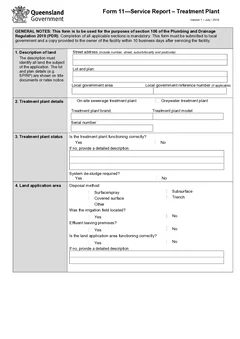
That is too much detail to reconstruct at the end of the day. Collect the latest treatment plant documents, designer notes, owner selections and approval references before you start. If the change is a substitution of brand or model, say so plainly. Treatment plant approval, chief executive approval and ERA numbers should come from current documents, not a phone photo. An online form can catch an empty field and show you the official layout, but it cannot tell you whether the substituted plant is suitable or approved. Ongoing servicing of that plant is a separate record - see the Form 11 treatment plant service report guide.
Owner and applicant details
Form 2 separates the owner from the applicant, because the applicant may be the plumber, builder, agent or another person managing the application on the owner's behalf. The official PDF notes that the applicant is responsible for ensuring the information provided is correct and that they are authorised to manage the application on the owner's behalf.
For a small residential job this is usually simple. For builders, agents and multi-party jobs it gets messy fast. Check the correct owner, phone, postal address and email. Check the company name and contact details for the applicant. If the office is lodging, make sure the site notes and the applicant declaration agree.
Saved owner and applicant details cut repeat typing, but check each finished PDF before lodgement. Stale contact details are one of the easiest mistakes to carry from job to job.
A practical Form 2 workflow
- Confirm the current permit number and issue date
- Work out whether the request is an extension, an amendment, or both
- Compare the site change against the approved plans and permit conditions
- Collect supporting documents before filling the form
- Fill Form 2 one section at a time and preview the official PDF layout
- Download the finished PDF and lodge with local government through the required process
- Store it with the job record and related documents
Preview matters because the official layout has fixed boxes. A long amendment description, owner address or wastewater note can become unreadable in the space provided. An amended permit will usually sit beside other Queensland plumbing paperwork later in the job - Form 5 for testing, Form 3 if work gets covered before inspection, and Form 19 at completion. The QLD plumbing forms list maps how the set fits together.
Next steps
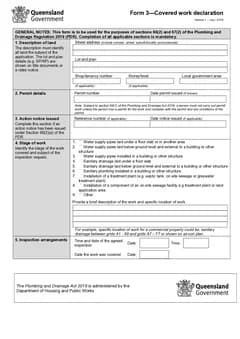
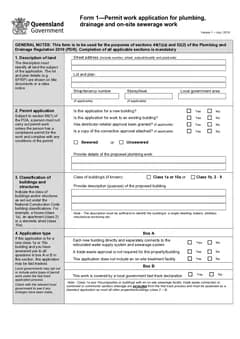
Prepare the QLD Form 2 amendment or extension application when an existing permit needs a formal change. For the original permit application, use QLD Form 1. For the covered work pathway, see the Form 3 covered work declaration guide.
Official references
Check the Business Queensland guide to amending or extending a plumbing or drainage permit, the official QLD Form 2 PDF, the Business Queensland plumbing and drainage forms and templates page, and the current Plumbing and Drainage Regulation 2019.