Job and identity details
Customer, site, licence, contractor, and date fields.
- PCBU business name is required before export.
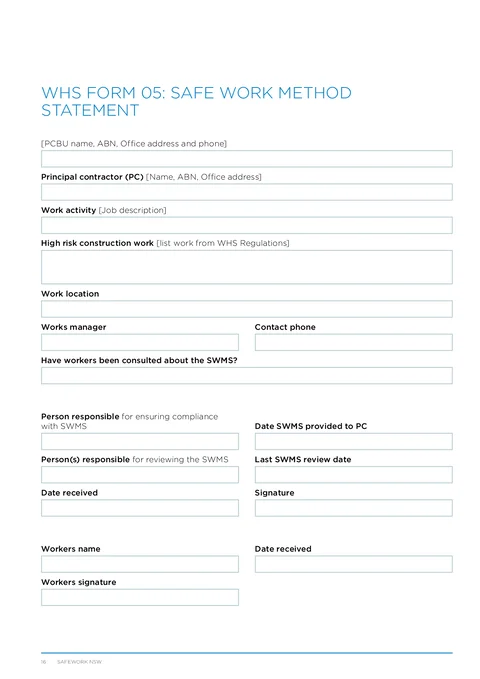
Record PCBU details, high risk work, SWMS task rows, and worker sign-off, then export the official HIISP PDF.
Eight guided sections follow WHS Form 05 with up to 15 SWMS task rows.
NSW WHS SWMS
SafeWork NSW
Customer & site
Installer
Saved detailTests & results
Certification
Date of test
28 May 2026
Ready to export
Validation passed · ready to export
All changes saved
Saved details prefilled
Licence & business
PDF exported
Attached to job
What slows teams on WHS Form 05.
Business name, ABN, address, and phone are tedious to tap through in a flat PDF viewer on site.
Fifteen rows with hazards and controls are hard to fill without losing your place on a phone.
Site packs need the official column order, not a retyped spreadsheet.

Eight guided sections follow WHS Form 05 with up to 15 SWMS task rows.
Three steps without fighting the table on a phone.
Form templates
Pick a template or resume a draft
Resume work you already started
Browse the full template library

NSW CCEW

NSW WHS SWMS

ACMA TCA1

QLD CoTC

NT Gas Works Notification

QLD Form 21

NSW Fire Safety Statement

SA Backflow Report

VIC Asbestos Removal Notification
Resume a draft or pick a fresh template from the library.
Same NSW WHS SWMS paperwork goal, but built to finish at the job instead of fighting a PDF editor.
Who fills it in, when it is needed, and where the finished copy goes.
WHS Form 05 is the Safe Work Method Statement from the Housing Industry Site Safety Pack. It documents how high risk construction work will be carried out safely on site.
Eight groups cover the full SWMS PDF.
Business details, principal contractor, and work activity.
Task rows, compliance review, and worker acknowledgement.
Tradie Forms checks these requirements against the SafeWork NSW template before the PDF is ready to complete.
Customer, site, licence, contractor, and date fields.
Nearby templates for the same state, trade, or paperwork type.
Open the guide, browse the catalogue, or send a PDF we can map.
Open the guided form and export the official PDF when every row is complete.