Tradie Forms: complete the QLD Form 11 treatment plant service report while the plant, owner, readings, and service notes are still in front of you.
Form 11 looks quick until you are back in the ute trying to remember plant details, readings, alarm status, and the owner's email. The service is done; the report still has to be clear enough for local government, the owner, and your own records.
This is for Queensland plumbers and service technicians completing the service report for an on-site sewerage or greywater treatment plant. Use the QLD Form 11 template, or browse QLD plumbing forms.
What QLD Form 11 is for
Business Queensland lists Form 11 as the service report for a treatment plant, and the official PDF says it is used for the purposes of section 106 of the Plumbing and Drainage Regulation 2019.
The official PDF also says the form must be submitted to local government and a copy provided to the owner of the facility within 10 business days after servicing the facility.
It captures the site, plant, status, land application area, service tests, annual tests where applicable, owner details, technician details, and the declaration. It is not the original permit application, and it is not the treatment plant approval - Business Queensland's on-site sewage guidance notes that installing an on-site sewage treatment plant requires local government approval and treatment plant approval, which sit separately from this service record.
Why finish it on site?
A treatment plant service carries more detail than anyone should hold in their head, and waiting turns small gaps into guesswork.
On site you have the actual plant brand, model, and serial number; the status you observed; the land application area condition; test readings and alarm checks; arrival and departure times; the owner's details if they are present; photos while access panels are still open; and the chance to explain defects or follow-up work face to face.
If something is not functioning correctly, write the description while you are looking at it. If the system needs de-sludging, record it clearly. If the irrigation field could not be located, say so rather than leaving the field blank for the office to interpret.
Property and treatment plant details
The land description should identify the property - street address, lot and plan, local government area, and local government reference number where applicable.
The treatment plant section asks whether the report is for an on-site sewerage treatment plant or a greywater treatment plant, plus brand, model, and serial number.
Do not rely on what the job was booked as. Check the plate, the service history, owner documents, or the previous report. A wrong model or serial number makes the report hard to match to the asset later, which defeats the purpose of a service record.
Plant status
The status section asks whether the plant is functioning correctly and whether a system de-sludge is required. Simple fields, but they carry weight: where the answer is no, the official PDF asks for a detailed description.
Useful notes cover what you saw - pump not operating, audible or visual alarm issue, high sludge level, effluent leaving premises, land application area not functioning correctly, owner advised of follow-up work, or a manufacturer procedure not completed and why.
Do not overclaim. Where you have not diagnosed the cause, record the observation. The declaration says the information is a true and accurate record of the service visit.
Land application area
Form 11 asks about the disposal method and land application area, with options including surface or spray, subsurface, covered surface, trench, and other. It also asks whether the irrigation field was located, whether effluent is leaving the premises, and whether the area is functioning correctly.
These get skipped when access is awkward or the owner is in a hurry, and they are exactly the fields explaining whether the treated effluent side of the system behaves as expected.
Where the land application area is not functioning correctly, the form asks for a detailed description. Write it in ordinary site language, and keep any photos with the job record.
Tests every service
The official form provides fields for pH, residual chlorine, clarity, temperature, air blower filter status, pump working, audible alarm working, visual alarm working, and chlorine tablets added - to be completed every service where applicable.
"If applicable" matters, because systems and service procedures differ. Follow the system requirements and the manufacturer procedures. Where a field applies, record the result rather than trusting memory to the end of the day.
Annual tests
Annual testing fields cover the primary tank sludge test, secondary tank sludge test, and air blower back pressure test, again where applicable.
Where this is an annual service, have the equipment and previous record ready before the visit. Where annual testing does not apply, leave those fields rather than filling a number to make the form look complete.
Service procedure
The form asks whether the service was completed in accordance with the manufacturer's operation and maintenance recommended procedures, and notes that technicians can access those procedures from the manufacturer.
Where the answer is yes, the job record should support it. Where it is no, the reason should be visible rather than buried - access blocked, a component needing replacement, the owner declining work, or a follow-up visit required.
Owner and technician details
Owner details need to be current. Where a property manager booked the job but the facility owner must receive the copy, check which details belong in the report.
Technician details include the service date, arrival time, departure time, minutes on site, company or individual name, service technician name, and licence number. These repeat across jobs, so saved details help - check them whenever staff, licence, or company details change.
Common mistakes
Missing the serial number. Brand and model help; the serial number identifies the unit.
Vague fault notes. Write what you observed, not the conclusion.
Forgetting the owner copy. A copy must be provided to the owner within 10 business days after servicing. Build it into the workflow rather than relying on memory.
Skipping land application details. The plant may run while the land application area does not.
Leaving the report outside the job record. It should sit with service notes, photos, owner communications, and any quotes or follow-up work.
Servicing the same plant year after year
Most treatment plant work is repeat business on the same properties, which changes what the report is for.
The single report matters less than the run of them. A plant with four years of service reports shows whether a problem is new or recurring, whether a component has been replaced twice, and whether the owner has been acting on recommendations. That history is more useful to you than to anyone, because it tells you what to expect before you drive out.
Keep the reports in date order under the property rather than by job number. Property is how you will look them up.
Explaining findings to the owner
Owners of on-site treatment plants are often householders rather than facility managers, and the language that works with a plumber does not work with them.
Describe the consequence rather than the component. An owner who understands that a failing pump means effluent surfacing in the yard will act; one told the pump is drawing high current will file the report. That is the whole difference between a recommendation that gets actioned and one that shows up unresolved on your next visit.
Put the important items in writing on the report rather than only mentioning them at the door. The person who arranged the service is often not the person who reads it later.
Next steps
Start the QLD Form 11 treatment plant service report while the service details are fresh, or browse QLD plumbing forms. Plumbing forms for every state sit on the plumbing forms hub.
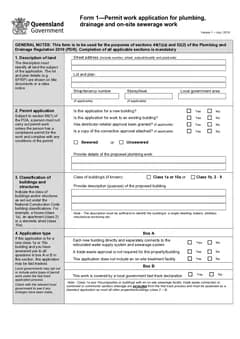
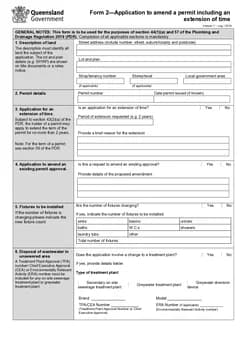
Related Queensland forms include QLD Form 1 for permit applications involving on-site sewerage work, QLD Form 2 where treatment plant details change under an existing permit, and QLD Form 5 for testing or commissioning reports. The QLD plumbing forms list. For the testing report that often sits beside it, see the QLD Form 5 testing report guide. shows the wider set.
Tradie Forms organises Form 11 into sections you work through one at a time for property, plant details, status, land application, service tests, annual tests, procedure, owner, technician, and declaration. It does not decide whether the plant is functioning correctly or whether further work is needed - the licensed person and service technician remain responsible for the work and the finished report.
Official references
Check the official QLD Form 11 PDF, the Business Queensland forms and templates page, installing on-site sewage facilities, applying for treatment plant approvals, and the current Plumbing and Drainage Regulation 2019.