QLD Form 43 is short enough to look easy and specific enough to punish sloppy wording. A QBCC licensee can finish the aspect work properly, then lose time because the certificate does not say what the certifier needs.
The usual problems are not dramatic. The wrong form was used. The aspect is too broad. The basis says as per plans with no plans named. The approval number came from another job. The licence class is stale. This article is about those rework traps. The field walkthrough lives in the Form 43 completion guide.
Use the QLD Form 43 template when you want the official layout, browse QLD building forms, or open QLD Form 30 if the work is accepted development rather than work under a building development approval.
Using Form 43 for the wrong job moment
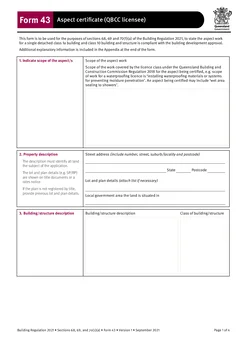
The official Form 43 PDF says it is used to state that aspect work for a single detached class 1a building and class 10 building or structure is compliant with the building development approval. The appendix says it is used when the QBCC licensee carried out, or is authorised to certify, aspect work subject to a building development approval.
That means the first mistake is using Form 43 when the job is not a Form 43 job.
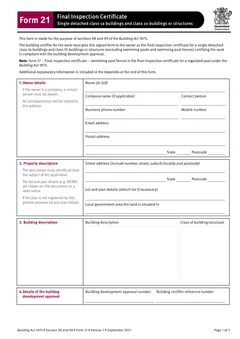
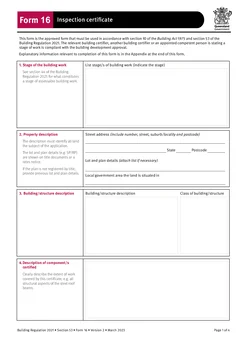
If the work is accepted development, Form 30 may be the correct QBCC licensee aspect certificate. If the certificate is about a stage inspection by a building certifier or appointed competent person, Form 16 may be the relevant stage record. If an appointed competent person is certifying an aspect inspection, Form 12 is the form for that appointment.
Do the form choice check before you start typing. It takes less time than fixing a completed PDF that was wrong from the first field. For the wider map of certificates, see the QLD building certificates workflow.
Treating scope and aspect as one field
Form 43 asks for both the scope of the aspect work and the description of the aspect or aspects certified. They are not duplicate boxes.
The scope should connect to the licence class. The aspect description should explain the actual work certified on this job.
The certificate should tell the certifier what is covered without a follow-up call.
Certificate wording that covers work you did not certify
Broad wording can make the certificate look like it covers more than intended. This is a problem even when the work itself is fine.
All waterproofing works might be too broad if you only certified the ensuite and laundry. Structural steel might be too broad if you only certified a defined beam or frame section. Glazing throughout might be wrong if only one facade was covered.
Tie the wording to the actual area, component, system or stage. If the builder or certifier needs more than one certificate, clear certificates beat one vague certificate that invites arguments later.
Leaving the basis of certification thin
The Form 43 PDF asks for the basis for giving the certificate and the extent to which tests, specifications, rules, standards, codes of practice and other publications were relied on by the QBCC licensee.
As per plans is usually too thin. Installed to code is not much better.
Good basis wording points to the material you actually relied on: relevant drawing numbers and revisions, product installation guides, engineering specifications, site inspection records, test records, and applicable standards or codes where they genuinely formed part of your assessment.
Do not pad the field with references you did not use. A certificate should be clear, not inflated.
Reference documents that nobody can find
The reference documentation section is where you name the documents that support the certificate. A future reader should be able to find them.
Useful references include drawing numbers with revisions and dates, manufacturer installation guides with product name and version, engineering letter or report numbers, test report references, and marked-up plan or photo set references.
If you attach documents outside Tradie Forms, keep them with the finished PDF in the job record. The certificate and the supporting documents should not drift apart.
Property details copied from the invoice
An invoice address is not always the same as the land details needed for a building certificate. The official form asks for street address, state, postcode, lot and plan, and local government area.
Check the approval documents, title details, rates notice or certifier request. This matters on new estates, rural properties, duplexes and subdivisions, multiple jobs for the same builder, and properties with unit or lot details. Wrong property details make the certificate harder to match to the approval.
Certifier numbers and licence details carried over from the last job
Form 43 asks for the building certifier reference number and building development approval number. These are small fields, but they connect the aspect certificate to the certifier file. If you use saved text snippets, old PDFs or a job software with repeat clients, check the numbers before download. One wrong digit can turn a clean certificate into office rework.
The official Form 43 appendix also says the QBCC licensee must hold an appropriate class of licence under the QBCC Regulation for the aspect work, or be authorised to give a QBCC licensee certificate for aspect work. Check full name, company name, licence class, licence number, postal address, email and phone before signing. Tradie Forms can save licence details for repeat work, but you still need to check them after renewals, business changes or staff changes.
The form also includes the date approval to inspect was received from the building certifier. Check the email, work order or certifier portal before finishing the PDF. Keep that request with the job file if it explains the scope or timing.
What should you check before the certificate leaves site?
Before sending, read the PDF in preview and answer five questions:
- Is this definitely Form 43, not Form 30, Form 12 or Form 16?
- Does the aspect wording match the actual work?
- Are approval and certifier numbers correct?
- Are the licence details current?
- Can the references be found by someone else in the business?
If any answer is shaky, fix it before the certificate leaves site. Rework is slower after the builder, certifier and office have all seen the wrong PDF.
Tradie Forms turns the flat PDF into sections you work through one at a time for scope, property, building, aspect, basis, references, certifier, licensee and signature. It can reuse saved QBCC licence details, flag missing fields, show the official PDF preview and let you download the completed certificate on site. That does not replace the QBCC licensee's judgement. It just makes the paperwork less fiddly when the details are fresh.
Keep the finished Form 43 with the building development approval details, certifier request or approval to inspect, drawings and product documents, photos or inspection notes, and related Form 16, Form 12 or Form 30 records where relevant.
Where these errors come from
The recurring cause is the certificate being completed away from the work, after the fact, from a previous job's wording.
Preparing it at the inspection fixes most of the list. The aspect is fresh, the references are checkable against the job record, and the description reflects what was actually assessed.
Aspect wording is the field that matters
Form 43 is an aspect certificate, so the aspect is the whole point of the document.
Naming it to match the approval, rather than paraphrasing it, is what keeps the certificate connected to the rest of the trail. A paraphrased aspect is the most common reason a certificate is queried, and it is entirely avoidable.
Next steps
Start the QLD Form 43 aspect certificate when your aspect work and references are ready. Read the full Form 43 on-site guide if you want the field walkthrough.
If the job is accepted development, open QLD Form 30. For appointed competent person aspect inspection, use QLD Form 12. For wider building paperwork, browse QLD building forms.
Official references
Check the Business Queensland building forms page, the Queensland Form 43 PDF, the Queensland Form 30 PDF, and the Business Queensland competent persons guidance before relying on this guide.