Queensland Government · Live template

QLD Form 43 QBCC licensee aspect certificates ready for export

Complete your QBCC licensee aspect certificate for building work and export the Queensland PDF.

Hand the certifier a finished Form 43 before you leave site, not a half-filled PDF tonight.
More forms for QLD builders

Exports the Form 43 PDF
Nine guided sections in PDF order
Licensee details saved for the next job
9:41

QLD Form 43

Queensland Government

Draft
ScopeBuildingBasis,Licensee

Customer & site

Installer

Saved detail

Licence no.-Verified

Tests & results

Polarity correct-
Earth continuity-
RCD trip time (ms)Pass

Certification

Date of test

28 May 2026

Ready to export

Validation passed · ready to export

All changes saved

Export PDF

Saved details prefilled

Licence & business

PDF exported

Attached to job

Preview the QLD Form 43 PDF before you export

Fill the guided sections, then check the finished PDF layout before you download, send, or hand it over.

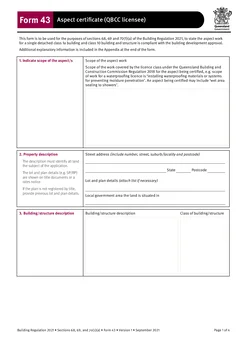
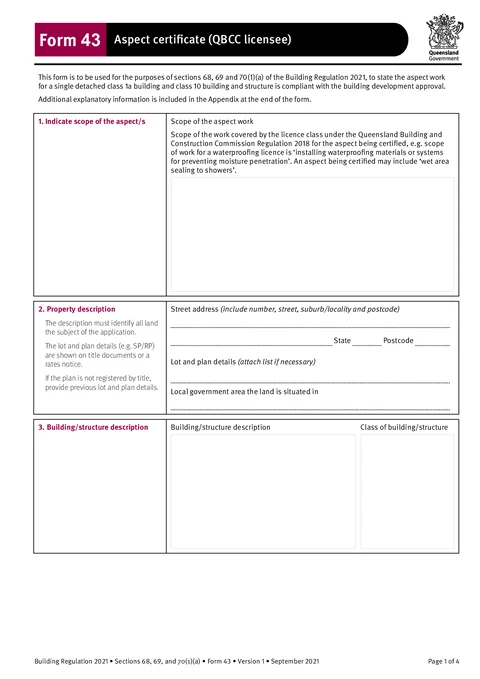
QLD Form 43 form preview
Preview of the QLD Form 43 QBCC Licensee Aspect Certificate PDF layout used for export.

Review the PDF before download

Hand over the layout people expect

Keep a clean copy for the job record

What you fill in

Four guided groups across nine PDF sections.

  1. Scope and Property

    The aspect scope and land subject to the application.

  2. Building and Aspect

    Building class and the aspect work you certified.

  3. Basis, References, and Certifier

    Certification basis, reference docs, and certifier numbers.

  4. Licensee and Signature

    Your QBCC licensee details and sign-off.

Aspect certificates slow down the handover

What trips up QBCC licensees before the building certifier gets the paperwork.

Same licensee details every job

Name, company, licence, and postal address should carry over when you certify the same trade on the next job.

Long narrative blocks on a flat PDF

Scope, basis, and reference documentation are hard to fill cleanly on a phone PDF viewer.

Certifiers expect the PDF in order

Generic PDF editors do not match the Building Regulation 2021 Form 43 field order.

Form 43 finished before you leave site

Three steps at the job or in the van.

Open the form

Open the form on your phone or laptop. Sign in later if you want cloud drafts across devices.

Matches the Queensland Government Form 43 layout (Version 2, January 2026).

Fill each section online

Work through the scope, property, certification basis, and licensee details in the same order as the PDF.

Saved licensee details cut repeat typing on the next certificate.

Export and hand over

Download the official PDF and give it to the building certifier for the aspect you certified.

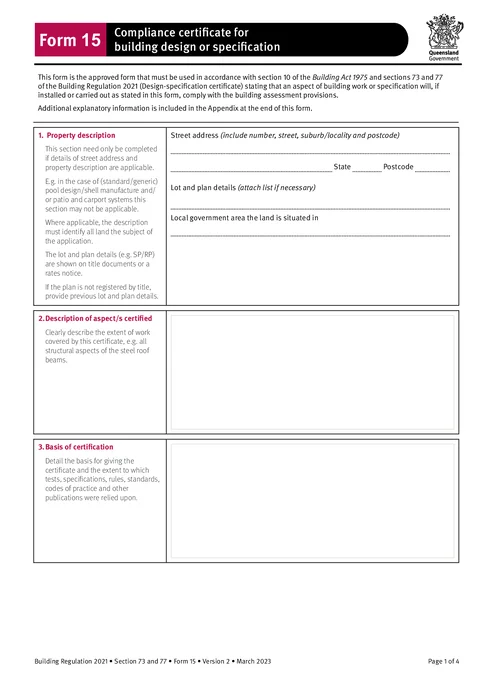
Attach or reference engineering plans in the References section when the job requires them.

Built for QLD QBCC licensees

Nine guided sections

Scope, property, building, aspect, basis, references, certifier, licensee, and signature in PDF order.

Licensee details

Save licence and contact details and apply them on the next Form 43.

Validation while you fill

Missing name, signature, or date surface before export, not after the certifier sends it back.

PDF ready to hand over

Download the filled Form 43 ready for the building certifier.

Before you export

Tradie Forms checks these requirements against the Queensland Government template.

  • Licensee name is required before export.
  • Signature and date are required before export.

Frequently asked questions

Built for Australian tradies

Start your QLD Form 43 QBCC licensee aspect certificate

Fill online at the job. Export the official PDF when you are ready to hand over.

No credit card required
3 free PDF exports per month