Most Tasmanian plumbing paperwork problems are not form problems. They are handover problems. Form 60 goes out in an email thread. Form 71B gets built from memory a week later. The owner address does not match. The permit reference on the certificate is one digit off the one on the start notice.
This guide is about running the two forms as a single job record rather than two unrelated PDFs. For the field-by-field detail, the Form 60 start work notification guide and the Form 71B standard of work certificate guide cover each form on its own.
What do the official sources say about each form?
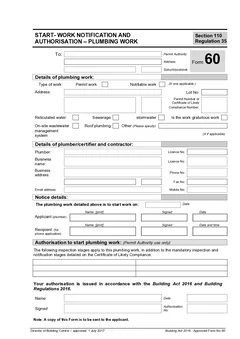
CBOS lists both forms on its approved forms page. The CBOS guide to approved plumbing forms says Form 60 is a Start Work Notification and Authorisation for plumbing work, completed by the plumber seeking authorisation to start plumbing work and sent to the council permit authority.
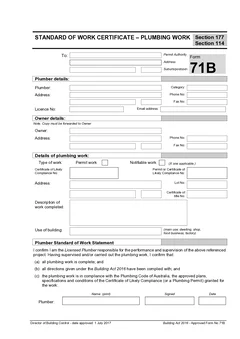
The same guide says Form 71B is the Standard of Work Certificate for plumbing work. It is completed by the plumber, sent to the council permit authority, and a copy is sent to the owner. The guide says it is used when permit or notifiable plumbing work is completed.
| Workflow point | Form 60 | Form 71B |
|---|---|---|
| Main purpose | Start work notification and authorisation | Standard of work certificate |
| When it is used | Before the plumbing work starts | When permit or notifiable plumbing work is completed |
| Completed by | Licensed plumber | Licensed plumber |
| Main recipient | Council permit authority | Council permit authority, with a copy to the owner |
| Job-record role | Opens the approved work record | Closes the work record against what was completed |
The Index of Forms Approved by the Director of Building Control says approved forms are templates for use in the administration of the Building Act 2016 and Building Regulations 2016, and that users should exercise care when completing forms and read the Act or regulations, including the section or regulation referred to, before use. That is worth taking literally. Tradie Forms helps you fill the official layout. It does not decide whether the job is permit work, notifiable work, low risk work or another category.
Why should the two forms stay together?
Because they answer the two ends of the same question, and a permit authority or owner asking about the job six months later will want both halves.
Small crews lose time here more than anywhere else. Form 60 sits in an email. Form 71B sits on a laptop. Photos are in a phone gallery and inspection notes are in the job software. When someone asks what was approved and what was certified, the record has to be rebuilt from memory.
Treat the start notice as the moment you establish the job's facts: permit authority, site, lot, permit or certificate of likely compliance reference, licensed plumber. Then closeout becomes a check against those facts rather than a fresh round of data entry.
What should line up between Form 60 and Form 71B
These are the fields worth checking side by side before the certificate goes out.
Permit authority. Same council or authority, same address, unless the job genuinely moved pathways. Saved details help across repeat councils, but confirm the recipient against the site.
Work site and lot details. New subdivisions, rural properties and multi-unit sites need more than a street number. Whatever identified the site on the start notice should still identify it on the certificate.
Permit or certificate of likely compliance reference. Copy from the approval document both times, not from the earlier form and not from an old job with the same builder.
Work type. If Form 60 recorded permit work, the certificate should not quietly become notifiable work because it felt close enough. If the pathway changed, that is a job-record note, not a silent edit.
Licensed plumber details. Licence number, business name and contact details drift after a renewal or an address change. If a different licensed plumber carried out the work from the one who lodged the start notice, fix it before the certificate is issued.
Owner details. The CBOS guide has the owner receiving a copy of Form 71B, so the owner block is not filler. If your site contact was a builder, tenant or project manager, make sure the copy still reaches the legal owner.
Where the workflow usually breaks
Form 60 gets treated as throwaway admin. If the authority, site, work type or plumber details are wrong at the start, the office is fixing the same problem at completion.
Form 71B gets filled from memory. Write the description on site, not back at the office.
The work description is written for the plumber, not the reader. "Install sanitary plumbing and water supply rough-in for ensuite renovation at rear dwelling" survives six months. "Bathroom plumbing" does not.
Owner details differ between quote, invoice, permit and form. Pick the record that belongs on the form and keep it consistent.
Sending is mistaken for filing. A sent PDF is not a stored record. Keep Form 60, Form 71B, approval references, inspection notes, photos and completion emails in the same place.
A practical job flow
- Confirm the work pathway against current CBOS guidance and the permit authority.
- Fill TAS Form 60 before work starts, and save the permit authority and plumber details while you are there.
- Lodge it through the permit authority process and store the finished PDF with the job.
- Record inspections, photos, changes and site notes as the job runs.
- Complete TAS Form 71B when the permit or notifiable plumbing work is finished, checking it against the Form 60 facts.
- Preview the official layout, then download the finished certificate.
- Send the copies the process requires, including the owner copy, and store everything together.
Step 1
Form 60, before work starts
Plumber
Permit authority and plumber details saved here get reused at the end.
Step 2
Work runs
On site
Inspections, photos, changes and site notes recorded as you go.
Step 3
Form 71B, at completion
Plumber
Checked against the Form 60 facts rather than filled from memory.
Step 4
Copies sent and stored
Including the owner copy
Both PDFs kept together against the same job.
The two forms bookend the job, which is why the details entered at the start are the ones worth getting right.
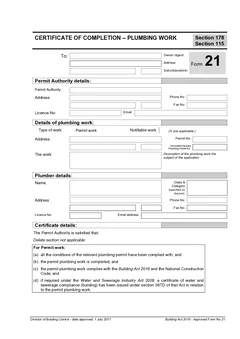
Where the job also needs a certificate of completion, TAS Form 21 is the separate document, and the Form 21 vs Form 71B guide explains which one you are actually being asked for.
How Tradie Forms helps
Both forms become sections you work through one at a time instead of flat PDFs. Form 60 runs through permit authority, type of work, plumbing work, work categories, licensed plumber and notification of intention to start. Form 71B runs through recipient, plumber, owner, type of work, compliance references, work site, standard of work description and certification.
Saved permit authority and plumber details carry across both, missing fields get flagged before you download, and you preview the official layout before anything leaves the job. Tradie Forms is not affiliated with CBOS or any Tasmanian permit authority, it does not lodge, inspect or approve anything, and downloading or emailing a PDF does not complete a permit authority process. The licensed plumber remains responsible.
Next steps
Start TAS Form 60 before the plumbing work begins and TAS Form 71B when it is finished. The TAS plumbing forms list covers the full Tasmanian set including gratuitous work, and TAS plumbing forms has the live templates. See the plumbing forms hub for the rest of the Australian set.
Official references
Check the CBOS approved forms page for the current Form 60 and Form 71B, the CBOS guide to approved plumbing forms for who completes and receives each one, the CBOS Guide to the Building Act 2016 for the work categories and completion steps, and the Index of approved forms for the current approved form list.