WorkSafe Victoria · FOR567

VIC asbestos removal notification finished on site

Notify WorkSafe before licensed asbestos removal work and export the official FOR567 PDF for email or fax lodgement.

Guided sections follow the WorkSafe Victoria notification layout so your paperwork is ready before removal starts.
More forms for VIC builders

Exports the WorkSafe Victoria PDF layout
Saved licence and client details
Victorian address search for the removal site

Quick answers

Plain facts about this form for tradies, inspectors, and office admins.

What form is this?
Asbestos Removal Notification and Amendment Form (VIC Asbestos Removal Notification).
Who fills it?
Building working in VIC.
Which authority?
WorkSafe Victoria
Can I fill it on my phone?
Yes. Tradie Forms guides you through each section on mobile and exports the official PDF layout when you are ready to hand over.

Preview the VIC Asbestos Removal Notification PDF before you export

Fill the guided sections, then check the finished PDF layout before you download, send, or hand it over.

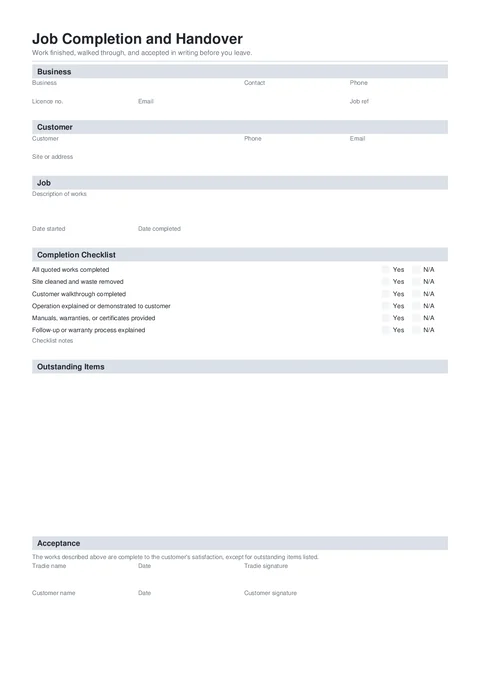
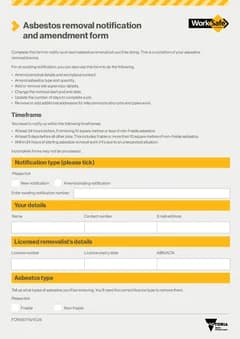
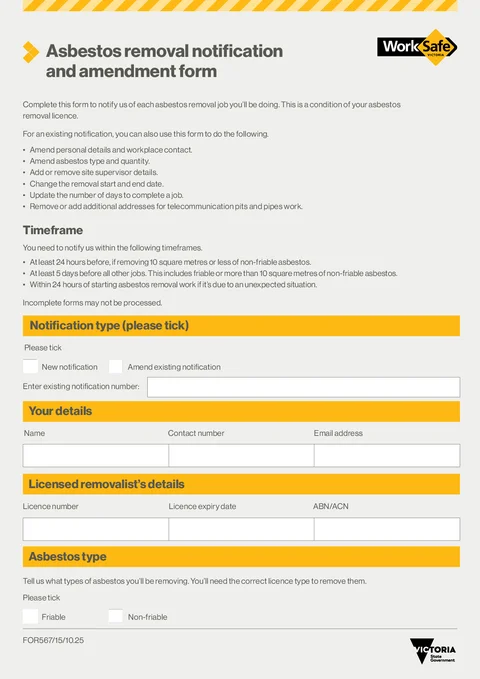
VIC Asbestos Removal Notification form preview
Preview of the Asbestos Removal Notification and Amendment Form PDF layout used for export.

Review the PDF before download

Hand over the layout people expect

Keep a clean copy for the job record

What you fill in

Five guided groups cover the full WorkSafe notification form.

  1. Notification and Licence

    Notification type, your details, and licensed removalist information.

  2. Asbestos and Method

    Asbestos type, removal materials, enclosure, and quantities.

  3. Supervisors and Schedule

    Site supervisors, workers, and removal dates.

  4. Workplace and Location

    Workplace type, client contact, and removal site address.

  5. Declaration and Submit

    Declaration agreement, signature, and regional office lodgement.

Notification paperwork should not slow removal prep

What slows licensed removalists on the WorkSafe notification form.

Same licence and client details every job

Licence number, expiry, and workplace contact details get retyped on every notification.

Tick boxes and quantities on a phone PDF

Friable types, enclosure methods, and supervisor rows are awkward in a flat PDF viewer on site.

Timing rules are easy to miss

24-hour, 5-day, and unexpected-situation windows are buried in form instructions when you rush the PDF.

Notify before removal starts

Three steps without fighting the flat PDF.

Open the form

Start on your phone or laptop. Sign in later if you want cloud drafts across devices.

Exports the WorkSafe FOR567 PDF layout.

Fill each section in order

Work through notification type, asbestos details, supervisors, workplace, and declaration with gaps flagged early.

Saved notifier and removalist details cut repeat typing.

Lodge with WorkSafe

Export the PDF and email or fax it to the regional WorkSafe office closest to the removal site.

Regional office contacts are listed in the Submit section.

Built for licensed VIC asbestos removal notifications

Mirrors the official form order

Notification type, asbestos details, supervisors, workplace location, and declaration in PDF order.

Notifier and removalist saved details

Save licence holder and contact blocks once, prefill them on the next notification.

Site address search

Search the Victorian removal address without retyping suburb and postcode.

Signature on the declaration line

Sign on your phone and stamp it into the official PDF before you lodge.

Before you export

Tradie Forms checks these requirements against the WorkSafe Victoria template.

  • Tick friable and/or non-friable asbestos type before export.
  • Your details, licensed removalist licence number, removal start date, site address, and declaration are required.
  • Notify WorkSafe at least 24 hours before small non-friable jobs, 5 days before other work, or within 24 hours for unexpected situations.
  • Email or fax the exported PDF to the WorkSafe regional office closest to the removal site.

Frequently asked questions

Built for Australian tradies

Ready to notify WorkSafe before your next removal?

Open the guided form and export the official PDF when every section is complete.

No credit card required
3 free PDF exports per month