Save and prefill reusable form details: business, licence, customer, site, and other section blocks
Saved details are named snapshots of a section. Use them for business and licence blocks you reuse across forms, and for catalogues on a single form such as work type. You can keep many named variants of the same section.
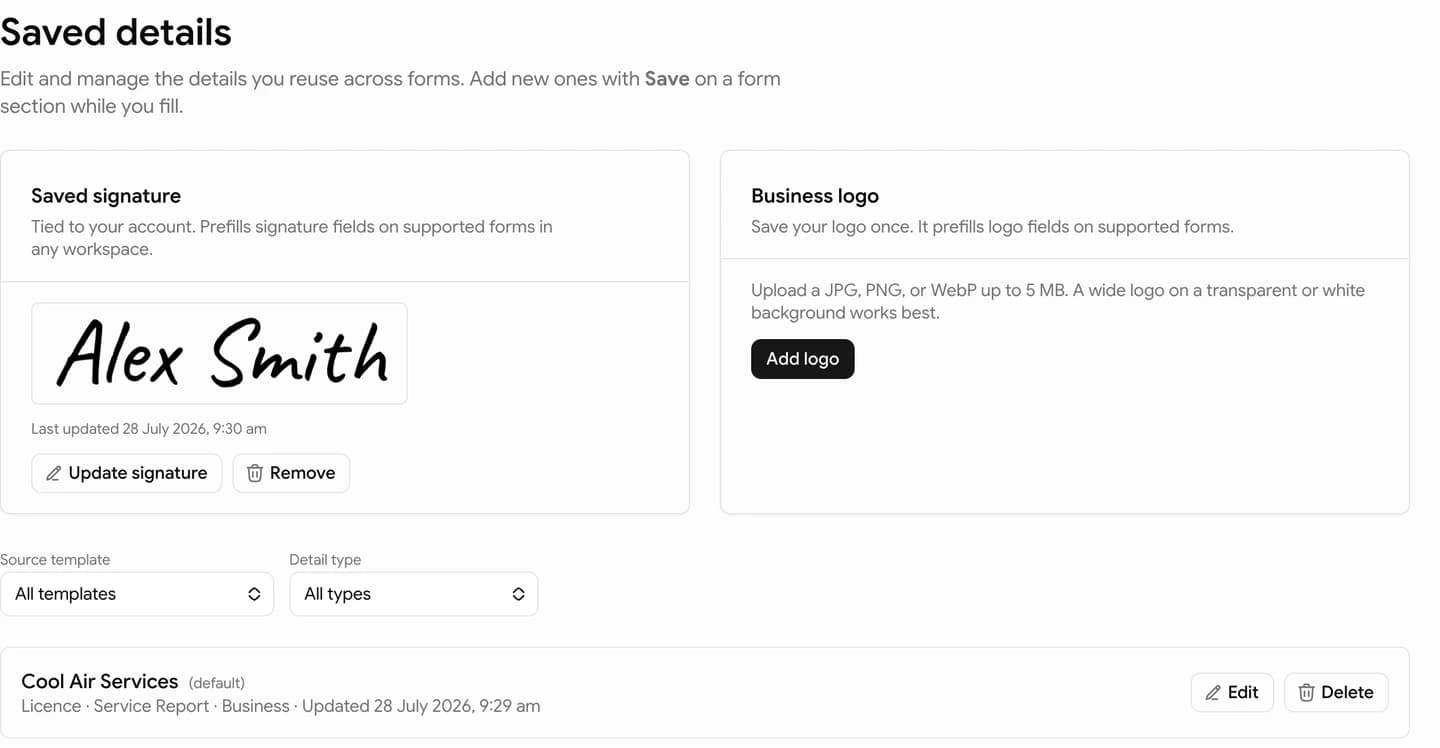
Manage them on Saved details, next to your signature and business logo. Use the Templates filter to show all records, one form, or one section.
Your signature and logo sit at the top. Filter the list by template or section, then pick a named record.
Confirm every imported value and update anything that is specific to the customer, site, or job before download.
Free users can save form details, but prefilling them on new forms requires a paid plan.
Prefill replaces the stored fields in that section. Use Undo in the success message if you need to restore what was there before. The Prefill menu also links to Manage saved details when you need to edit the stored entry.
If you save more than one set of details for the same section, mark the one you use most as the default. The prefill picker shows the default first, but you can still choose another saved detail when the job needs it.
On a paid plan, empty business, person, and licence blocks on new forms can fill from your defaults automatically when that section has a declared identity map with a name or ABN. Turn that off under Settings with Automatically apply default saved details. Customer and site details still need Prefill so each job stays intentional. A business block on another form may only fill the shared fields (name, ABN, phone, email, address). Form-specific extras stay for you to check.