Loading documentation page
Form guides
How to complete WHS Form 01 organisation details in Tradie Forms.

SafeWork NSW
Complete organisation details for the Housing Industry Site Safety Pack and download the official SafeWork NSW PDF.
Open this formUse this guide when you complete WHS Form 01: Organisation Details from the Housing Industry Site Safety Pack in Tradie Forms.
Open the form when you have the current business, insurance and site contact records ready.
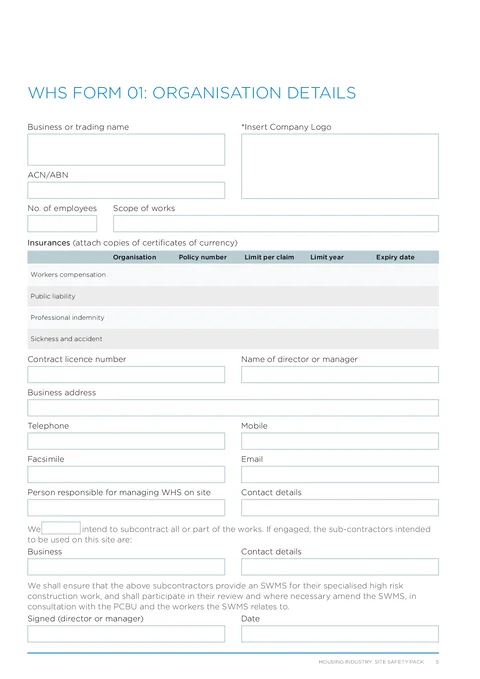
Enter business or trading name, ACN/ABN, number of employees, and scope of works.
Upload your company logo if you want it stamped on the downloaded PDF.
Fill the four insurance rows: workers compensation, public liability, professional indemnity, and sickness and accident.
Each row has organisation, policy number, limit per claim, limit year, and expiry date fields. Leave rows blank if they do not apply.
Copy the details from current certificates or policy records. Do not treat the form as proof that a policy is current.
Enter contract licence number and director or manager name.
Use address search for the business address, or type street, suburb, state, and postcode manually.
Add telephone, mobile, facsimile, and email as listed on the PDF.
Record the person responsible for managing WHS on site and their contact details.
Select whether you do or do not intend to subcontract all or part of the works.
If subcontractors apply, enter business and contact details for the intended subcontractor.
Add the director or manager signature and date.
Check the business name, ABN, licence, insurance expiry dates, subcontracting answer, signature and date. Keep the PDF in the WHS site file and attach current insurance certificates separately where required.
This page is one part of the Housing Industry Site Safety Pack. It does not replace the other WHS records and site-specific controls your work needs.