Help for electricians completing an RCD test record in Tradie Forms.
NationalElectrical
Tradie Forms
Record safety switch push-button and trip time tests on site. Capture each RCD, result, and failed-item action, then download a signed PDF aligned with AS/NZS 3760.
The RCD test record records push-button and trip time testing of residual current devices, aligned with AS/NZS 3760. Add each RCD as you test it, record the result, and download a signed PDF for the client and your records.
This is a Tradie Forms designed record, not a government form. There is no official layout to match, so the PDF is a clean register that grows extra pages as you add RCDs.
One card per RCD. New rows can carry the previous location and test date, and the default retest interval suggests the next-due date.
RCD ID / Circuit and Location - required. Use a label that lets the next person find the same device.
Description - optional detail about what the RCD protects.
Result, Test Date, and Next Due - passed items need a next-due date.
RCD details - type, rating in mA, and push-button result are required. Enter the measured trip time in ms when a trip-time test was carried out. Leave it blank for a push-button-only check, or enter >300 if that is the instrument result you need to record.
Failed items - select the action taken and add the failure details.
Use Duplicate for similar RCDs. It copies the description, type, rating, and location. It clears the RCD ID, result, test readings, dates, actions, and notes.
Check the trip-time limit that applies to the RCD, test current, installation, and testing basis. Record the measured time, then assess it against the current standard and site requirements.
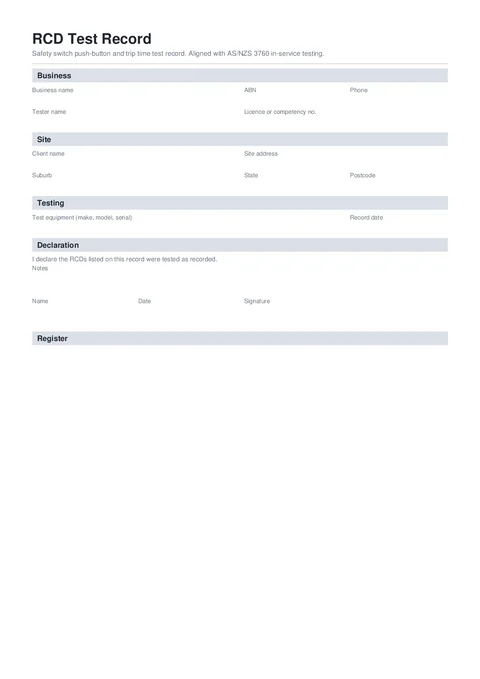
The PDF shows each RCD as a stacked record instead of a wide table. Long registers continue across pages with one consistent footer and page count.
Give a copy to the client or site manager and keep one with the job records. Check AS/NZS 3760:2022, the site procedure, and your state or territory regulator for the requirements that apply.