Loading documentation page
Form guides
How to complete Queensland Form 36 when no pool safety certificate is in effect.

Queensland Government
Notice that no pool safety certificate is in effect when selling or entering an accommodation agreement. Finish on site and download the official QBCC PDF.
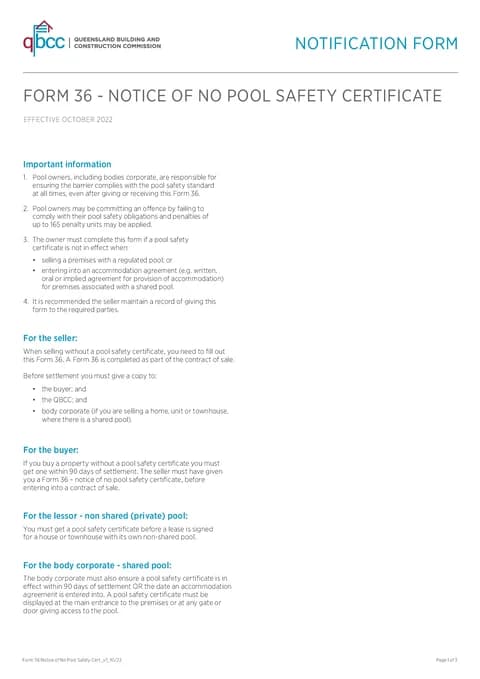
Open this formUse this guide when you fill Form 36 - Notice of No Pool Safety Certificate in Tradie Forms. The web form follows the QBCC PDF layout under the Building Act 1975.
Open Form 36 after confirming no pool safety certificate is in effect and that Form 36 applies to the sale or shared-pool lease.
Enter the owner's title, surname, first name, postal address, mobile, home phone, and email.
Save owner details on Solo or Team to prefill repeat properties.
Use address search for the pool street address, or type street lines, suburb, state, and postcode manually.
Add lot/s on plan and the local government area.
Select shared pool or non-shared pool.
Enter the purchaser or tenant title, name, postal address, mobile, home phone, and email.
Select sale or lease and enter the proposed settlement or accommodation agreement date.
Check the transaction type before continuing. Do not select Lease for a non-shared pool.
Enter the name of owner, signature, and date.
Declare that no pool safety certificate is in effect and that you will give this form to the required parties.
For a sale, give a copy to the buyer, QBCC, and the body corporate when the property has a shared pool, before settlement. Keep a record of when each copy was given.
Submit the completed PDF to QBCC by email at poolsafety@qbcc.qld.gov.au, by post, or at a QBCC service centre. QBCC also provides an online Form 36 through its portal. Tradie Forms prepares the PDF but does not submit it.
For sale and lease examples, read the Queensland Form 36 guide.