Loading documentation page
Form guides
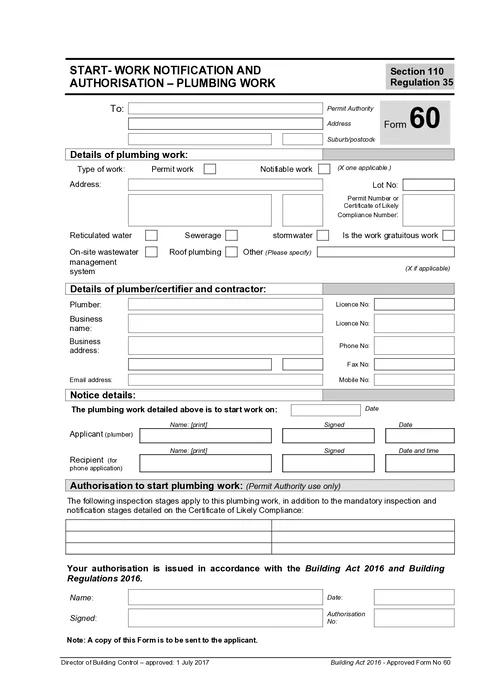
How to complete Tasmania Form 60 for plumbing work in Tradie Forms.

Consumer, Building and Occupational Services (Tasmania)
Tasmania Form 60 start work notification and authorisation for plumbing work under the Building Act 2016.
Open this formUse this guide when you fill Form 60: Start Work Notification and Authorisation - Plumbing Work in Tradie Forms. The web form follows the Tasmanian PDF layout for this notice.
Enter the name of the council or permit authority receiving this notice.
Use address search on Solo or Team to find the Tasmanian address, or type street lines, suburb, and postcode manually.
Tick Permit Work or Notifiable Work when it applies to this job. Leave the other option blank if it does not apply.
Enter the site address, lot number, and permit number or certificate of likely compliance number.
Use address search to fill Tasmanian suburb and postcode quickly, or type the address manually for rural or unusual sites.
Tick each category that applies. Add other details when the job does not fit the listed categories cleanly.
Enter your plumber name, licence number, business name, address, phone, email, and mobile.
Save these as a saved detail on Solo or Team to prefill on your next Form 60.
Enter the date you intend to start work, your print name, signature, and date signed.
Do not use a future signed date. Use the intended start date that matches your job booking and permit authority notice.
Tradie Forms is not affiliated with Consumer, Building and Occupational Services Tasmania. Check the official requirements before you rely on the completed notice.
Prepare the notice before the plumbing work starts.
See how the start notice and standard of work certificate fit together.